
When you work for HI USA, business travel means hostel travel: whether I’m attending meetings or managing a project on the road, I’m usually staying at one of our hostels. And the emails and calls don’t stop just because I’m out of town. So, I’ve had the unique opportunity to work remotely from every one of HI USA’s 14 locations, navigating everything from urgent Zoom calls in Los Angeles to deep-focus writing sessions on Cape Cod. An over the years, I’ve learned that a truly work-friendly stay requires more than just fast WiFi: it’s about the right blend of quiet and background noise, ergonomic spaces to spread out your gear, and a location that offers an appealing “brain break” when you need to step away from the screen.
While all HI USA hostels offer the essentials, like quiet hours and reliable connectivity, I’ve found that each property has its own unique sweet spots for productivity. To help you plan your next digital nomad stopover or workation, I’ve compiled this hostel-by-hostel guide to the unique amenities, desks with a view, and top-tier locations that make HI USA hostels a favorite choice for digital nomads.
At-a-Glance: Finding Your Perfect Desk
- Best for Video Calls & Meetings: HI Boston (Community Room) or HI LA Santa Monica (Courtyard).
- Best for Deep Focus & Quiet: HI New York City (World Room) or HI Martha’s Vineyard (Laptop Zone).
- Best for Inspiring Water Views: HI Point Montara (Sea Lodge) or HI Truro (Dining Room).
- Best for Urban Energy: HI Chicago (L Train View) or HI New Orleans (Mezzanine).
- Best for Outdoor Workstations: HI SF Fisherman’s Wharf (Back Deck) or HI Sacramento (Front Porch).
HI San Francisco Fisherman’s Wharf
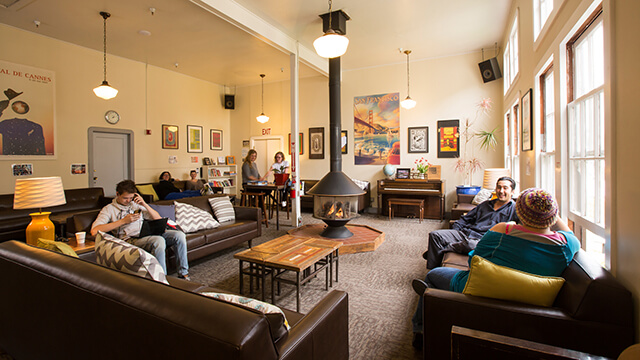
Best for: A cozy atmosphere and an “outdoor oasis” feel away from the city crowds.
If it’s a chilly day, you’ll find me typing away while seated on one of the sofas in the relaxed lounge, near the fireplace. The lounge is so cozy, and you’ll often see other people working from in there, too. I find this is a great spot to be surrounded by people but not distracted by them.
Insider Tip: If it’s sunny out, head to the hostel’s back deck. It looks out over a waterfront national park, so it’s super chill. You may hear birds chirping or bicyclists zipping by, but you won’t get any street noise. It still has good WiFi and, crucially, the tables and seats are at the right height for typing.
HI San Francisco Downtown
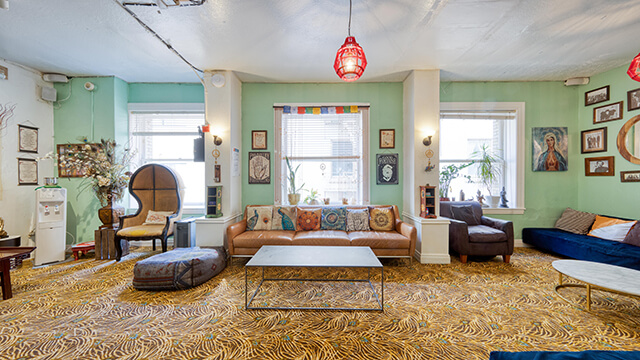
Best for: Those who need a quiet, tucked-away spot with plenty of seating variety.
The hostel has a small dedicated laptop room, but I actually prefer working from the lounge on the second floor. It’s tucked out of the way, so you don’t get background noise from people checking in or walking by.
Insider Tip: This lounge has so many comfortable (and visually interesting) chairs and couches that I’ll usually work from one spot for an hour or so, then move across the room just to change my perspective.
HI Los Angeles Santa Monica
Best for: Natural light, fresh air, and a respectful, productive vibe.
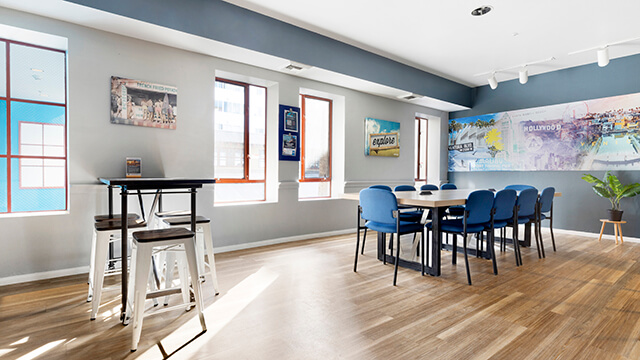
The library on the second floor is my go-to workstation. Recent redecorating has made it feel extra airy and spacious, and the windows let in great natural light. However, if it’s warm out (which it often is in LA), all bets are off: you’ll find me with my laptop at a shaded table in the hostel’s outdoor courtyard.
Insider Tip: The library features a long communal table with plenty of built-in plugs for your devices. Because many guests who are on site during the day are also working remote, there’s a quiet, respectful “coworking” energy.
HI San Diego Downtown
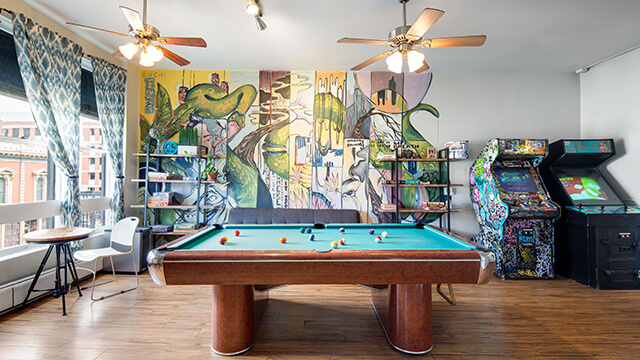
Best for: Convention-goers and those who find inspiration in local art.
This hostel has a unique setup: instead of one or two large guest lounges, it has lots of cozy spots scattered throughout its several floors. When I’m looking for a spot to work, I’ll usually do a lap of the whole hostel to decide which chair looks comfiest or which corner is the quietest in the moment.
Insider Tip: Keep an eye on the walls: the rotating displays by local artists mean I rarely see the same piece twice. Also, if you need a quick break to zone out, the free-to-play vintage arcade games and pool table in the game room offer a welcome reset.
HI New Orleans
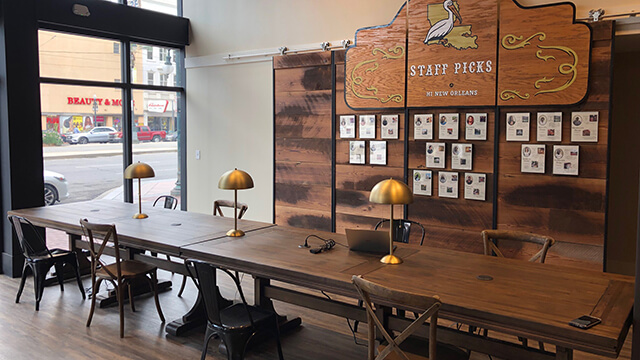
Best for: Staying productive in a high-energy city while remaining an “oasis of calm.”
There’s plenty of seating, with task lamps and ample power outlets, for digital nomads in the beautiful first-floor lobby. But I often prefer working from the mezzanine level. It overlooks the lobby and is a bit quieter, so you can still pick up on the energy of people coming and going without it being a distraction.
Insider Tip: It can be hard to motivate yourself to actually work in a NOLA like that’s known for its party atmosphere! The mezzanine sets you up for success because it feels like a retreat from the bustle while still making you feel like you’re “in” the action.
HI Chicago
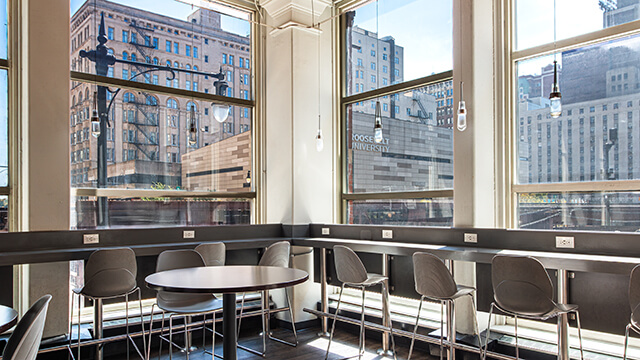
Best for: Photo-worthy city views and dedicated “Quiet Zone” focus.
I love setting up my laptop in a room where I can look up and see the city’s L train passing by. My favorite spot for this is the dining room on the second floor; it has counter and table seating running around the perimeter looking right out through huge windows at eye level with the elevated train tracks. The plentiful power outlets running along the wall mean I can plug in no matter where I’m sitting.
Insider Tip: If you need true silence, opt for the hostel library — it’s a designated quiet spot. Also, make sure to pop downstairs to Cafecito (the attached café) for a café con leche when you need a caffeine kick.
HI Boston
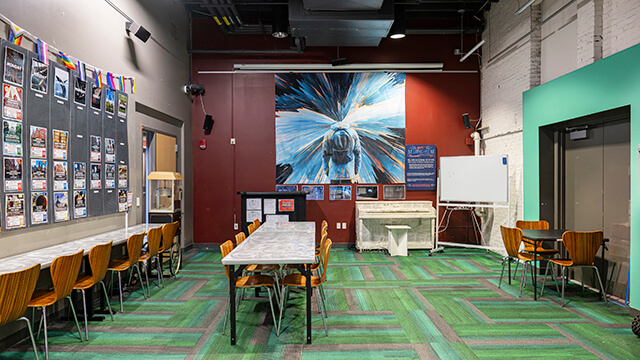
Best for: Taking calls without feeling out of place.
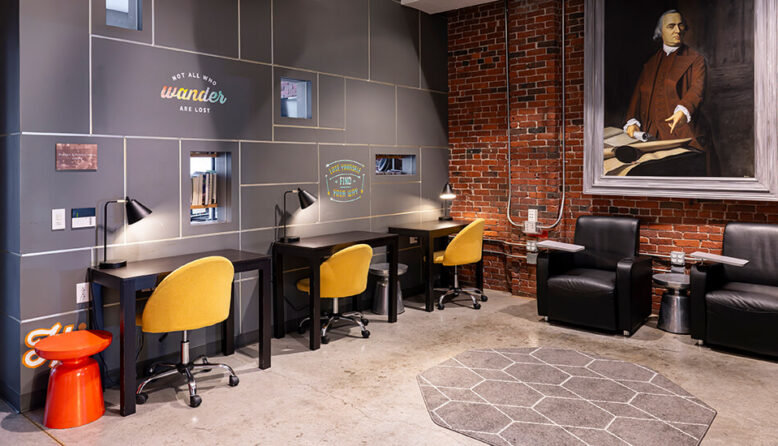
You’ve got options here ranging from quiet dedicated workspaces to the bustling lobby, but my favorite is the community room on the ground level. It’s separated enough from the front desk that you won’t have to shout over background noise while you’re on calls, but it’s not a “silent zone,” so you won’t get annoyed looks from anyone nearby.
Insider Tip: If you need a quieter spot, look for the upstairs work area under the giant portrait of Sam Adams — it’s also right next to the hostel’s quiet library space.
HI New York City
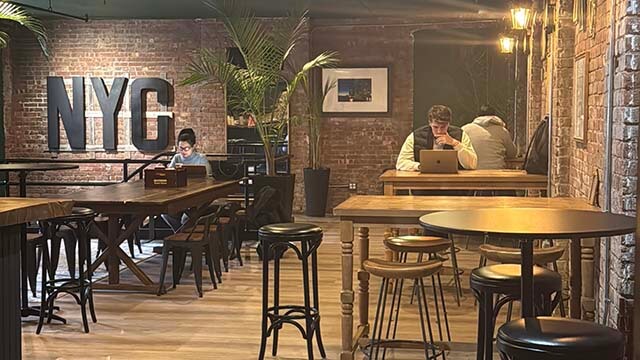
Best for: Avoiding the typical NYC “coffee shop” distractions in favor of deep work.
In the World Room, you’ve got your choice between a cozy armchair or a long, shared worktable. While the hostel has multiple lounges, the World Room is set up in more like a coworking space, so you’ll find many other digital nomads working in there alongside you.
The New York Room is another solid choice for working during the day, with exposed brick walls, plenty of seating and table space, and “Central Perk” vibes.
Insider Tip: Working remote in a city full of distractions can require intense concentration. Because these lounges are accessible to guests only and are located deep inside the building, the level of foot traffic is minimized, making it much easier to focus than it would be in a public café. And when you do need that mid-day pick-me-up, there hostel’s on-site café has coffee, sandwiches, and lots more.
HI Sacramento
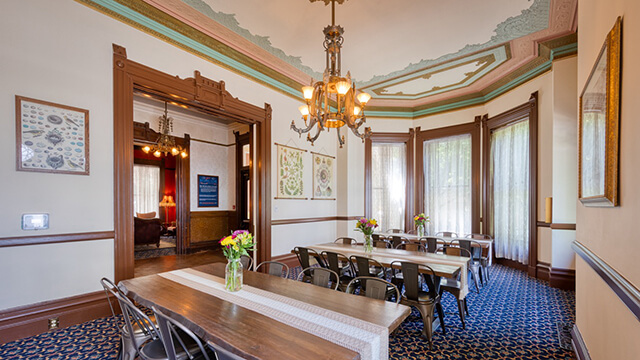
Best for: Historic mansion vibes and varied outdoor workspaces.
Digital nomads are spoiled for choice here, with multiple parlors decorated to match the 19th-century mansion’s vibe. My favorite place to post up is at one of the tables in the dining room. It’s decorated in airy, cool colors and has plenty of natural light.
Insider Tip: If the weather is nice, don’t stay inside. The hostel has a private outdoor courtyard and a covered porch out front with tables, chairs, and even hammocks for a more relaxed work session.
HI Point Montara Lighthouse
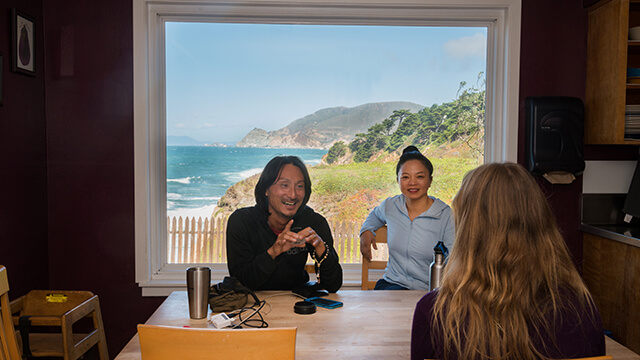
Best for: Unbeatable ocean views and a peaceful, coastal “deep work” retreat.
There are spectacular views all over the hostel, but the best is arguably from the kitchen table in the Sea Lodge building. Directly behind the table is a picture window overlooking the Pacific Ocean; it’s a welcome sight any time I look up from my emails.
Insider Tip: Use your breaks to wander the grounds. On site you’ll find a historic lighthouse and cove beach, making it this perfect place to explore and reset your brain between tasks.
HI Pigeon Point Lighthouse
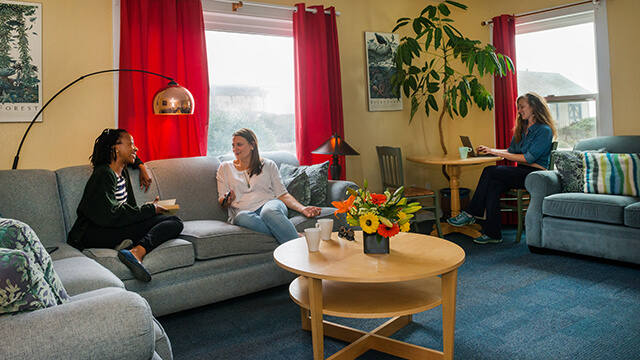
Best for: A remote “getaway” office with reliable connectivity and nature breaks.
I find the best bet for remote work at this hostel is usually the guest lounge, where I always find plenty of space, comfy couches, and a quiet atmosphere. Since the hostel is spread over three houses, each with its own lounge and kitchen, you won’t find the shared spaces overcrowded. Instead, your “coworkers” for the day are more likely to be the harbor seals sunning themselves on the rocks outside.
Insider Tip: This hostel uses satellite WiFi due to its semi-remote location. It’s very reliable, but can lag or go down in severe weather, so keep that in mind if you’re working under urgent deadlines during a winter storm.
HI Hyannis
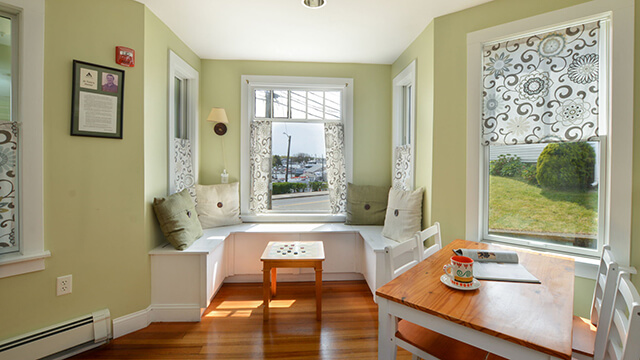
Best for: A laid-back, quiet environment with easy access to Vitamin D.
I work best when there’s natural light, so you’ll usually find me set up in the main guest lounge and dining area. The windows look right out over the street, and the hostel stays quiet throughout the day.
Insider Tip: When you need a break, Main Street is just a few minutes’ walk away. It’s the perfect spot for a mid-day ice cream run to recharge your energy.
HI Truro
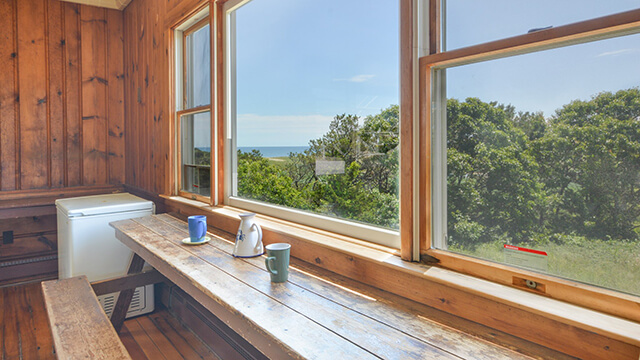
Best for: Coastal cottage vibes and the ultimate “post-work” beach reward.
The entire first floor of the hostel is comprised of guest lounge and dining areas, so you’ve got options here. The dining room has a traditional table-and-chairs setup, but I love sitting under the picture windows on a comfy sofa with my laptop on my knees and the Cape Cod National Seashore behind me. For a more structured space, I’ll usually find a seat in the dining room at the counter that runs along the wall under — you guessed it — a huge window that looks out over the sea.
Insider Tip: The hostel is only a few minutes’ walk down a secret path to Ballston Beach. If you want a secluded beach to relax on immediately after you close your laptop, this is the place.
HI Martha’s Vineyard
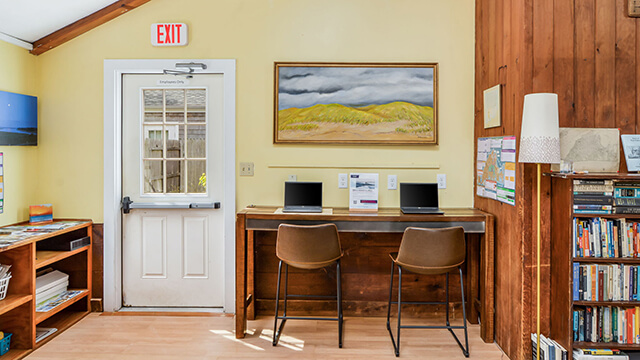
Best for: Zero-distraction focus in a world-class destination.
The hostel has a small, dedicated laptop zone in the guest lounge, which is perfect for when you need absolute focus. If the kitchen isn’t busy, I’ll often work from the adjacent dining tables to mix things up.
Insider Tip: Martha’s Vineyard is the ultimate vacation destination to explore between meetings. You can get around the island on the cheap using the local bus system, which stops just across the street from the hostel.
Ready to pack your laptop?
Working remote doesn’t have to mean working alone in a sterile hotel room. Whether you’re looking for the hum of Chicago’s L Train to keep you in the flow, or the salt air of a California beach to inspire your next big project, HI USA hostels provide the space, the community, and the amenities to help you stay productive while you explore.
Planning a “workation”? Learn all about HI USA hostels for Digital Nomads here.